Freeze-time product shot
Freeze the moment. Move the camera.
ChatGPT · Higgsfield
Build your character reference
Upload a clear photo of yourself to ChatGPT and ask for a reference sheet. Front, back, and close-up views give the video model a consistent character to work with.
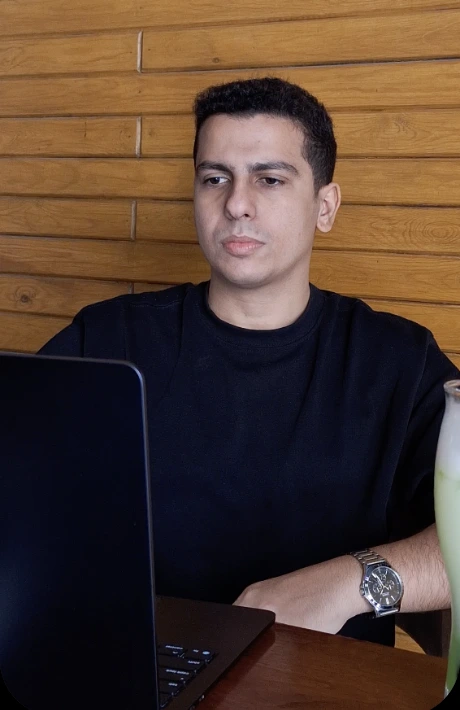
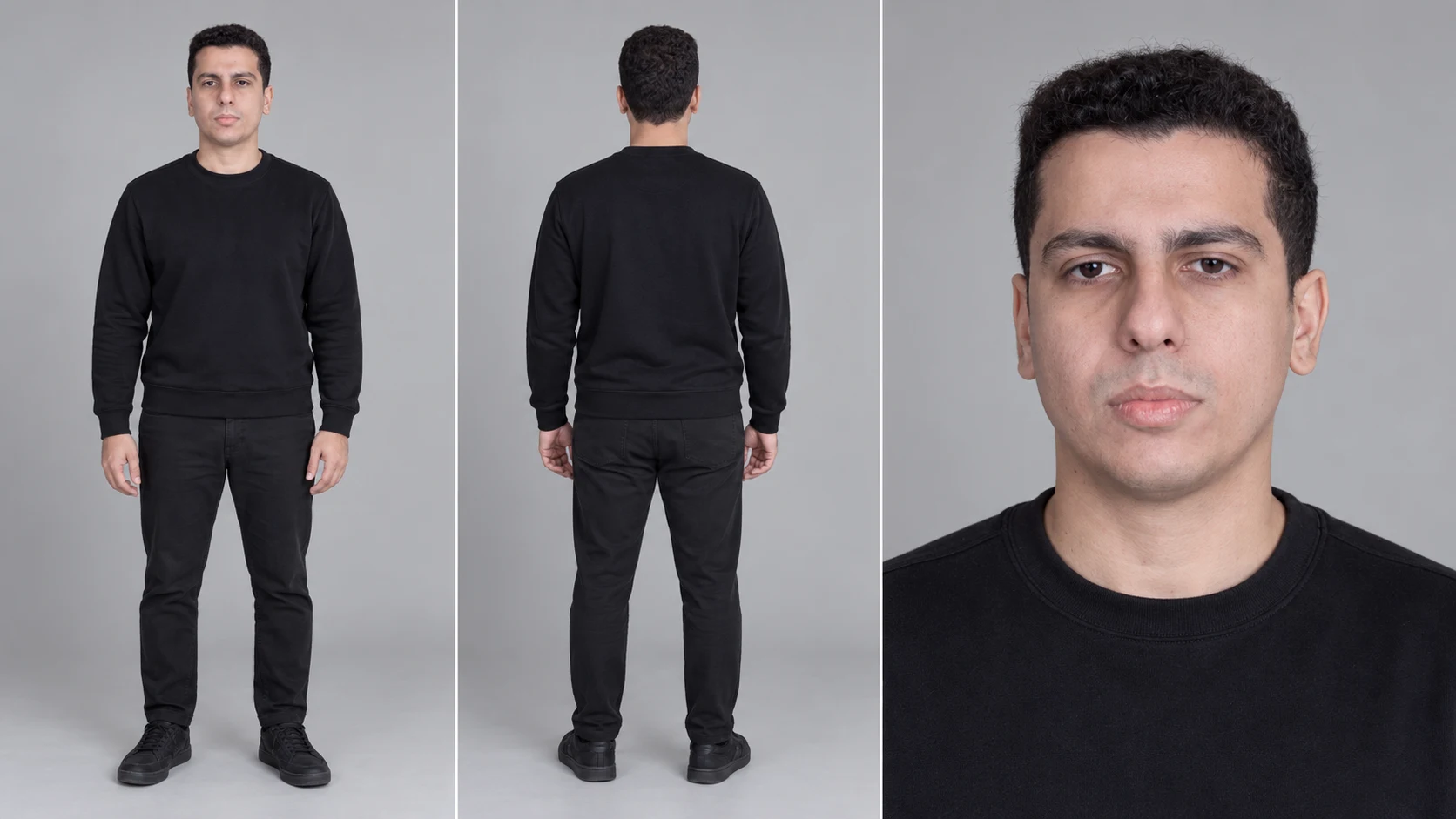
Reference sheet for this man, where we see:

• In the first frame, the front side of him.
• In the second panel, the backside of him.
• In the third panel, a close-up shot of his face while he looks directly at the camera with a neutral expression.
Download .txt
Describe the shot
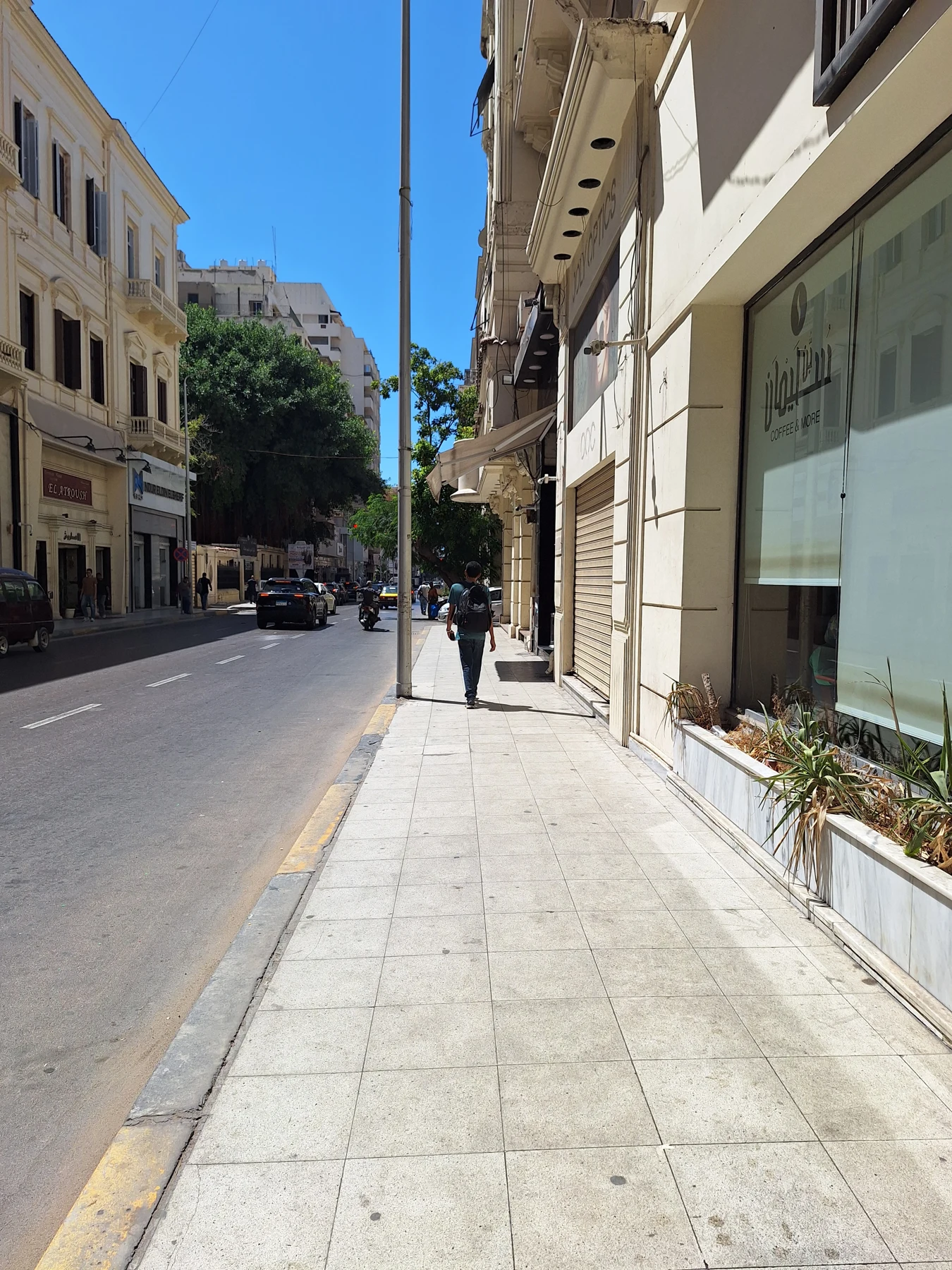
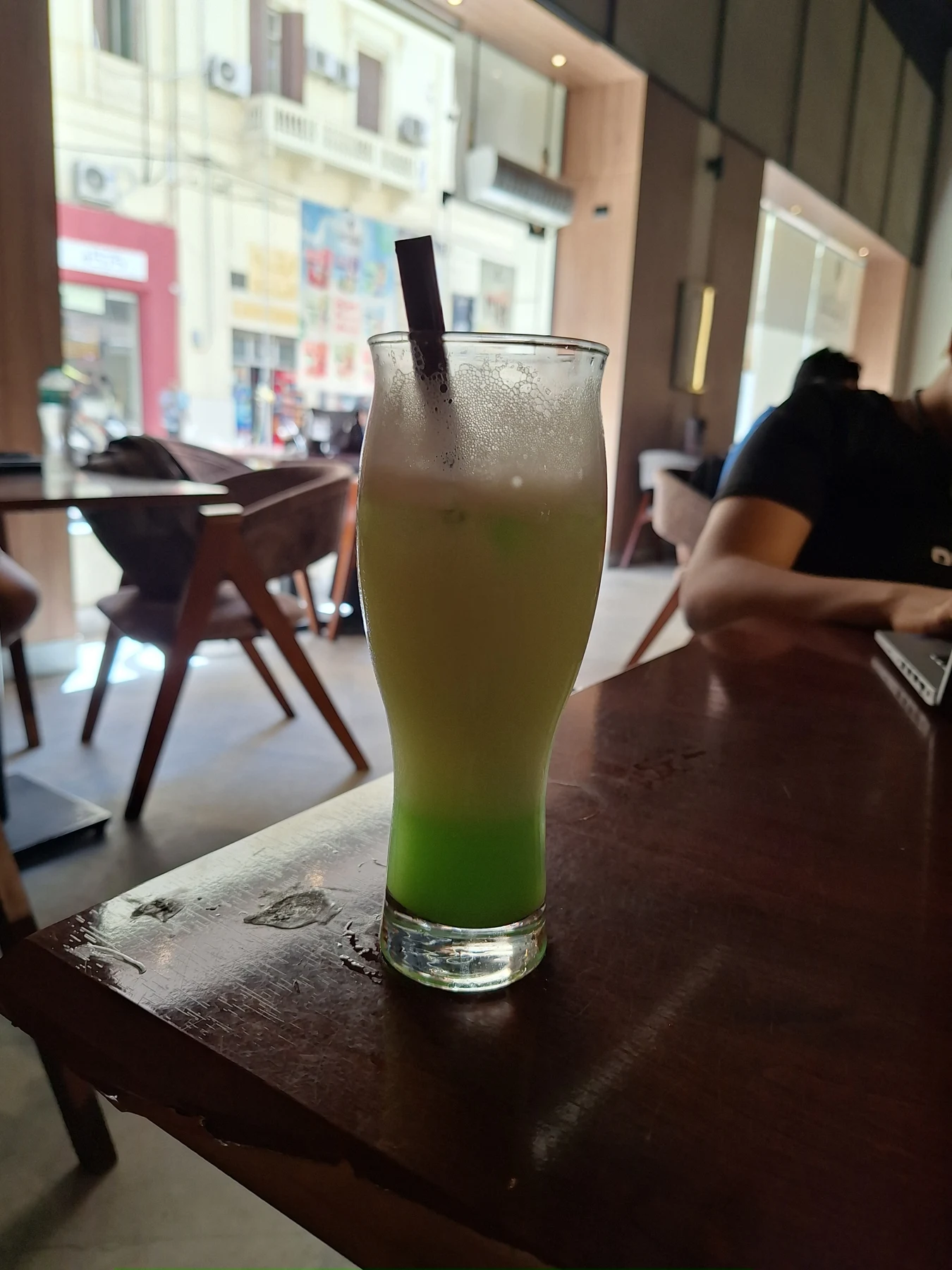
Start a new ChatGPT chat. Add the character, street, and drink references, then describe the action: a shoulder collision, falling objects, and a moving camera while time freezes.
I asked for an eight-second, vertical shot with a close-up on the drink, then the phone, before normal speed returns.
View full prompt
give me a detailed Seedance 2.5 that shows the man from the first image moving on the street. In the first 1 second, we start with a close-up shot, maybe on his leg, and then the camera pulls out with a tracking shot while he's walking forward and he's holding his phone with his right hand and the drink with his left hand. Then someone hits his shoulder. Then we see everything in slow motion or a frozen movement effect, where we see a close-up shot. The camera moves towards the falling cup and then moves towards the falling phone, and then everything moves back to normal speed at the last second. 8 second video, research best prompt techinuq first and how to do that trendy effect I am talking about then give me prompt
Copy the production prompt
This is the full prompt from ChatGPT, unchanged. Keep the reference order above: character → street → drink.
View full prompt
REFERENCE ROLES

@Image 1 is the exact identity reference for the main man. Preserve his face, hairstyle, skin tone, body proportions and overall appearance. He wears a simple black crewneck top, dark trousers and dark shoes. Keep his silver wristwatch. Do not use the laptop, café background or other objects from this image.

@Image 2 is the exact street and environment reference. Preserve the architecture, sidewalk width, road layout, bright blue sky, strong Egyptian midday sunlight and realistic Alexandria street atmosphere. Do not use any person visible in this image as the main character.

@Image 3 is the exact drink reference. Preserve the tall transparent glass, green drink, pale foam and overall appearance of the drink.

The phone is a simple modern dark smartphone with no visible logo or readable text.


GLOBAL STYLE

Create one continuous 8-second cinematic vertical 9:16 shot with photorealistic human movement and physically believable object motion.

Natural high-end commercial cinematography, but still grounded and realistic rather than overly polished.
Bright natural daylight matching @Image 2.
Neutral realistic colors.
Natural skin texture.
Realistic shadows and reflections.
Subtle handheld tracking-camera micro-movement.
Strong spatial depth and realistic motion blur during normal-speed movement.

This is ONE CONTINUOUS SHOT. No hard cuts, no scene changes, no teleportation.

The key visual effect is BULLET TIME / TIME FREEZE:
during the collision, the man, the other person, the falling phone, the falling drink, liquid droplets and clothing movement become almost completely frozen in time, while the CAMERA CONTINUES MOVING QUICKLY AND SMOOTHLY AT NORMAL SPEED through the frozen scene.


0.0–0.8 SECONDS — CLOSE-UP WALKING INTRO

Begin extremely close to the man's lower body while he is already walking forward along the sidewalk from @Image 2.

Low camera position, close-up of one leg and foot taking a natural step.

The camera tracks backward directly in front of him at his walking speed.

Only his lower body is initially visible.

Very subtle handheld movement, realistic footsteps and natural fabric movement.

During this first second, smoothly and rapidly DOLLY BACK and slightly CRANE UP, revealing more of his body.


0.8–2.5 SECONDS — REVEAL + TRACKING WALK

The camera has now smoothly pulled out into a medium-full tracking shot.

We clearly reveal the man from @Image 1 walking naturally forward along the sidewalk.

Camera continues moving backward in front of him, slightly offset at a front three-quarter angle.

He walks casually and confidently.

IMPORTANT HAND CONTINUITY:
his RIGHT HAND holds the dark smartphone.
his LEFT HAND holds the green drink from @Image 3.

Keep these hands and objects consistent throughout the entire sequence.

His arms naturally swing slightly while walking, but both objects remain clearly visible.

Maintain the exact street environment from @Image 2.

Background traffic and distant pedestrians move naturally but are not distracting.


2.5–3.1 SECONDS — SHOULDER COLLISION

A passerby walking in the opposite direction accidentally clips the man's shoulder.

The collision should feel completely natural and physically believable, not aggressive.

The passerby is only a secondary character and should not become visually important.

The impact twists the man's upper body slightly.

His RIGHT HAND accidentally releases the phone.

His LEFT HAND accidentally releases the drink.

The tall drink begins tipping outward.

The phone begins rotating away from his right hand.

A small amount of green liquid and foam begins escaping from the glass.

At the EXACT MOMENT of maximum impact, transition instantly into BULLET TIME.


3.1–4.8 SECONDS — BULLET TIME: CUP HERO MOMENT

TIME ALMOST COMPLETELY STOPS.

The man's body is frozen mid-reaction.
The passerby is frozen mid-step.
The man's clothing is frozen.
The phone is suspended in mid-air.
The drink glass is suspended in mid-air.
The green liquid, foam and individual droplets are suspended in the air.

Everything moves at approximately 2–5% normal speed.

BUT THE CAMERA REMAINS AT NORMAL SPEED.

The camera does NOT slow down.

The camera breaks away from the normal tracking path and moves smoothly toward the falling drink.

Perform a fast but elegant curved push toward the glass.

The camera travels approximately 90–120 degrees around the frozen action while moving closer.

Move into an extreme close-up of the suspended drink.

Show the glass rotating slightly in space, with individual green liquid droplets and pale foam frozen around it.

Very shallow depth of field.

The man's frozen body remains visible softly in the background for spatial context.

Extremely crisp realistic detail on:
glass reflections,
condensation,
liquid surface,
foam,
individual airborne droplets.

The camera continues moving fluidly even though time is frozen.


4.8–6.8 SECONDS — FLOW THROUGH THE FROZEN SCENE TO THE PHONE

Do NOT cut.

Continue the same fluid virtual-camera movement.

After passing very close to the floating drink, the camera moves PAST the glass and travels laterally through the frozen airborne droplets.

Create strong foreground parallax as droplets pass extremely close to the lens.

The camera then redirects toward the smartphone suspended farther away.

Perform a smooth rack focus from the drink droplets to the floating phone.

Move rapidly toward the smartphone.

The phone is rotating extremely slowly in the air, almost completely frozen.

Finish with an extreme close-up / macro three-quarter view of the floating phone.

Do not show any recognizable brand logo or readable screen text.

The man's frozen hand and body remain softly visible behind the phone.

The camera makes a subtle 30–45 degree arc around the phone while maintaining normal camera speed.

The surrounding world remains almost completely frozen.

This should create the impossible feeling that the CAMERA is freely moving through a photograph frozen in time.


6.8–7.0 SECONDS — TIME RELEASE

As the camera finishes passing the phone, create a very brief visual speed-ramp transition.

No flash and no artificial transition effect.

Instead, the frozen objects suddenly begin accelerating naturally.

Motion blur gradually returns.

Liquid droplets begin moving again.

The phone resumes falling.

The glass resumes falling.

The man's body resumes reacting.


7.0–8.0 SECONDS — NORMAL SPEED RETURNS

TIME IMMEDIATELY RETURNS TO REAL-TIME SPEED.

The phone and drink continue falling naturally under gravity.

The man quickly reacts and looks toward the falling objects.

The passerby continues walking through the collision naturally.

The green liquid falls and splashes realistically.

Camera smoothly pulls slightly wider while continuing its movement, showing the full situation again.

End while the action is still naturally resolving rather than posing for the camera.

Normal realistic motion blur returns completely.


CAMERA RULES

The normal walking portion uses a grounded tracking shot.

During bullet time, the camera must move independently from time.

The camera remains smooth and fast while the people and objects are almost perfectly frozen.

Do not create ordinary slow motion where the camera also becomes slow.

During the frozen section, use a constant-speed virtual-camera move.

Prioritize a single connected camera path:
man → floating drink → suspended droplets → floating phone → wider scene.

No cuts.

No random orbiting.

No camera teleportation.

No whip-pan transition.

Maintain correct left/right spatial orientation throughout the shot.


PHYSICS

The shoulder collision must cause the object release.

Do not make the objects randomly jump from his hands before impact.

Right hand releases phone.
Left hand releases drink.

Phone maintains realistic rigid-body rotation.

The glass maintains its original shape.

Liquid behaves like real liquid.

During bullet time the liquid is still physically shaped like a splash, but almost completely suspended.

Do not make the drink morph, stretch or transform.

Do not duplicate the phone.
Do not duplicate the drink.
Only ONE phone and ONE drink exist.


CHARACTER CONSISTENCY

Preserve the man's identity from @Image 1 throughout every angle.

No face morphing.
No changing hairstyle.
No changing age.
No changing body proportions.
No wardrobe changes.
No extra fingers.
No disappearing hands.

The secondary passerby must remain visually secondary and should never block the main man's face for more than a moment.


ENVIRONMENT CONSISTENCY

Keep the Alexandria street from @Image 2 consistent throughout the entire shot.

No changing buildings.
No changing sidewalk.
No suddenly appearing storefronts.
No changing time of day.
No excessive crowds.
No unrealistic empty street.

Natural Egyptian street traffic in the background.


FINAL VISUAL INTENT

The first 3 seconds should feel like an ordinary premium street-tracking commercial.

The collision is the trigger.

Then reality appears to almost completely freeze while the camera suddenly gains freedom to move through the suspended drink, droplets and phone.

The viewer should clearly understand that TIME IS FROZEN but THE CAMERA IS NOT.

At the final second, reality instantly resumes normal speed.

Photorealistic, physically believable, sophisticated, trendy social-media bullet-time effect.
No text.
No subtitles.
No logos.
No watermark.
The key instruction: people and objects almost stop; the camera keeps moving at normal speed.
Generate in Higgsfield
Open Higgsfield → Create Video. Choose Seedance 2.5, add the three images under References in the same order, and paste the full production prompt.
- Model
- Seedance 2.5
- Duration
- 8 seconds
- Format
- 9:16
- Resolution
- 720p
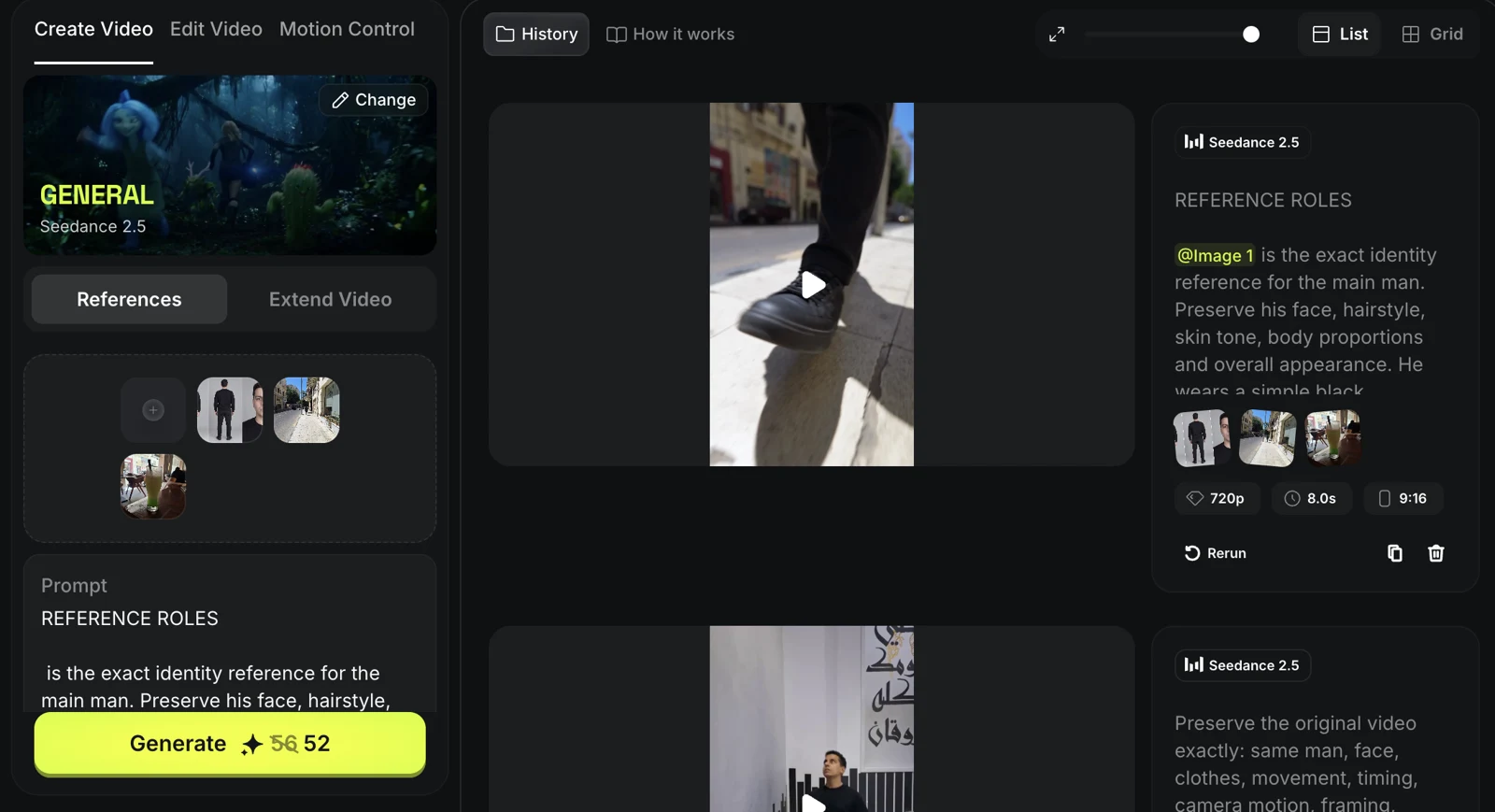
Generate the video. Check that the collision triggers the release, the phone stays in the right hand until impact, and the drink stays in the left. During the freeze, the camera should move freely through the suspended objects.